For a while now both my desktop Mac (running Sonoma) and my laptop (running Tahoe - do not recommend) have had sub-optimal network speeds.
My Android phone, on our network, on the same SSID, speed tests at 1.1Gbps. My laptop gets around 160Mbps and my desktop pulls in around 80Mbps.
That's quite a difference, and even though I don't need the gigabit speeds - sometimes I can tell when the desktop is being slow (web site be getting big).
What was weird is that the network speeds get much faster if I add something like NordVPN to my connection…which doesn't make sense…

MY EBOOK£5 for Working the Command Line
Gain command-line shortcuts and processing techniques, install new tools and diagnose problems, and fully customize your terminal for a better, more powerful workflow.
£5 to own it today
TL;DR - AWDL
It's a "magic" non standard enhancement (Apple Wireless Direct Link) to WiFi that Apple use that can seriously hamper your network connectivity. It's hard to kill, so the "simpler" approach is to ensure the Wifi channels you use are 44 (for 5Ghz in Europe, or 36 outside).
Slightly longer
My router, for it's 5Ghz channel, uses 160Mhz using (something called) DFS (apparently nothing to do with sofas…sorry, British joke): Dynamic Frequency Selection.
This seems to throw Apple a curve ball when it comes to their AWDL (honestly, screw Apple for having more tech that we can't control and ends up getting in the way).
AWDL is part of the system that's (from what I understood) responsible for things like AirDrop (which I don't use). Of course, turning it off doesn't really work - it's an easter process: it keeps respawning. It sort of stayed disabled on my laptop running Tahoe, but on my desktop running Somona it wouldn't stay down regardless of what I did.
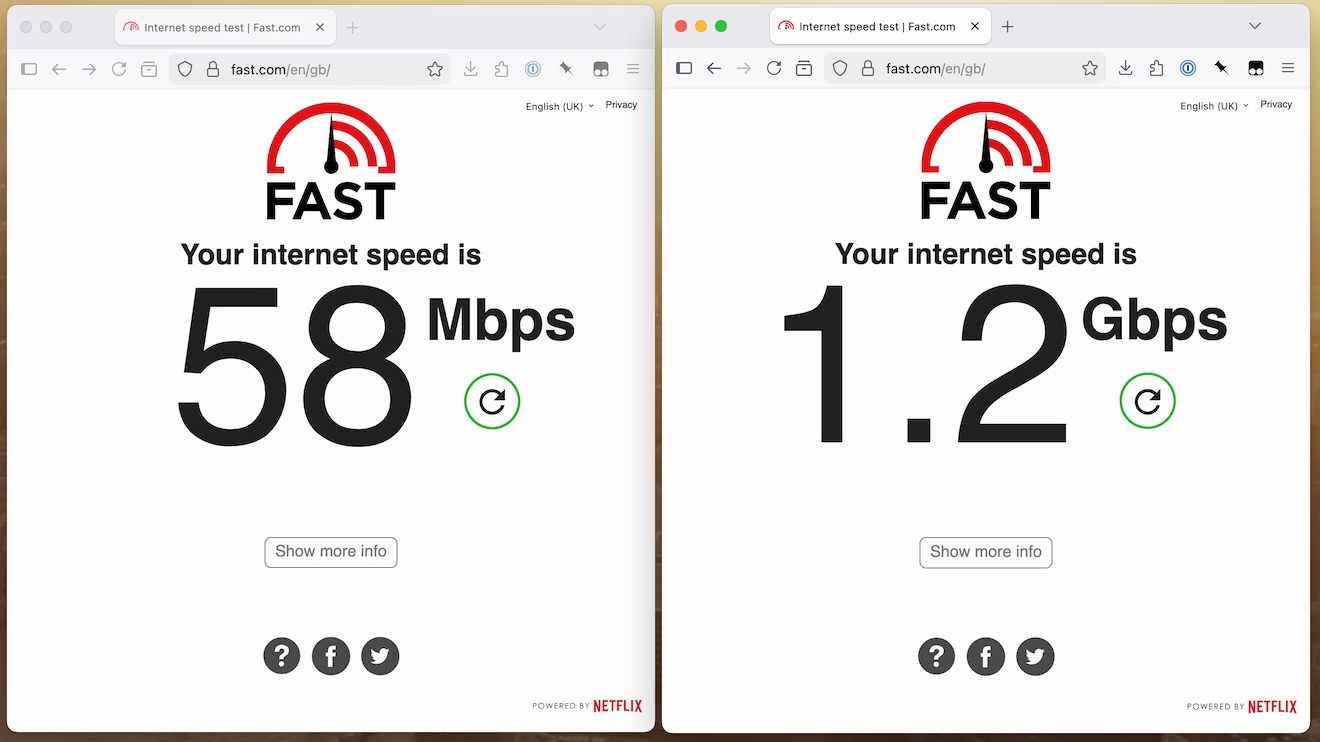
Even though this problem is exclusively an Apple problem, the only way I could resurrect my network connectivity (and even though I caught it at 60Mbps, I'd seen it much, much slower) was by switching the 5Ghz to 80Mhz (all the hertz) and selecting 44 as my channel.
Night and day difference:
Ultimately my plan is to set the Wifi booster/mesh/thingy to have a Mac specific 5Ghz connection point, which is then hard wired through our house into the router, then I can have 5Ghz at 160Mhz band (so nice for all other devices, like our TV) and - hopefully - the pesky Apple devices can pull data at a decent speed too.


